
RACE TECH / CONNECTED LIGHTING
MOBILE APP.
MORE CONTROL.
Your map and six preset controls, together on Home. Put everyday control of your Zenith lights within easy reach.
EXPLORE APP FEATURES
iPhone & iPad · Race Lights
Android · Coming soon
The App Store opens the existing Race Lights app. Race Tech, shown here, previews the newer experience. Ask about Android access ↗
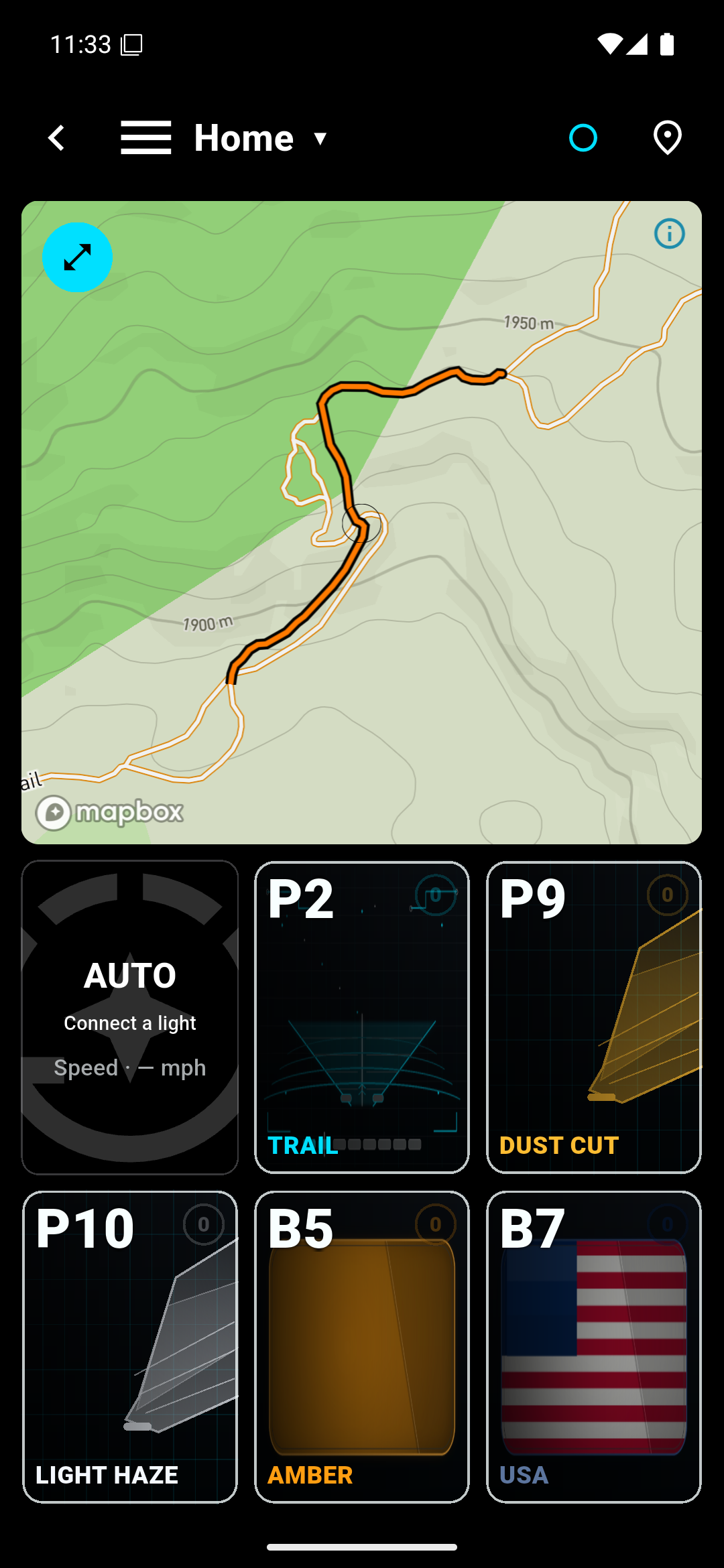
Example tracked trail · 0.50 mi / 39 min. Simulated ride data.
Explore app features Presets, daily control, power & colors
INSIDE THE APP
YOUR LIGHTS.
AT YOUR FINGERTIPS.
03 / 05 — EVERYDAY CONTROL
Control the whole setup.
See your lights together, adjust brightness, or switch the whole setup on and off. Choose white or an alternate emitter color where your model supports it.
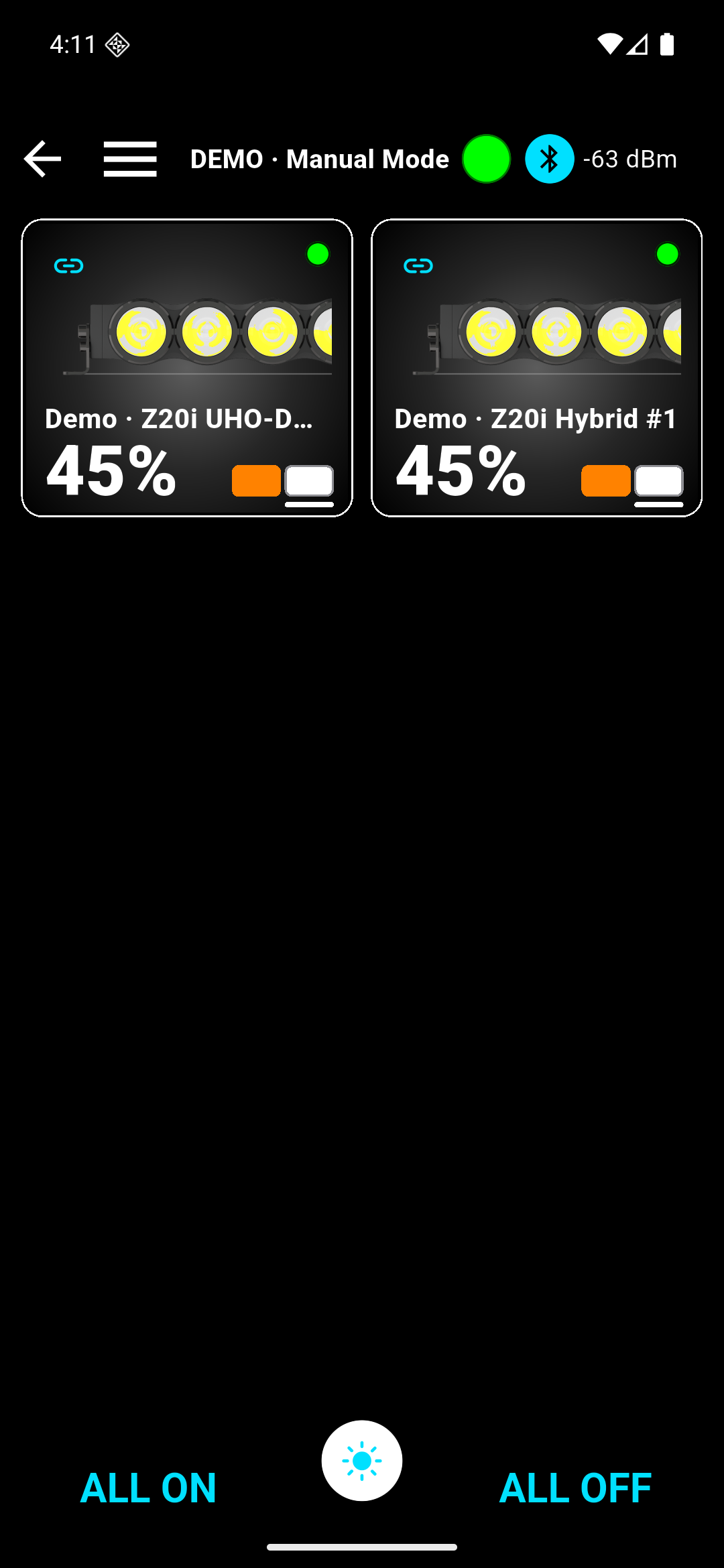
Demo lights, output and connection readings are simulated. Available controls depend on your light and app version.
Which lights and devices work with the app?
Zenith lights support Bluetooth app control, presets and individual emitter dimming. Available channels and features depend on your model, configuration and app version; SHO models retain white main output. The R3 Uni Pod uses PWM dimming and does not use Zenith app control. These actual phone screenshots show the developing Race Tech interface; control screens use Demo Mode with simulated lights and values; the existing public iOS app is Race Lights. Ask Race to confirm the correct app and firmware for your setup.
How do Bluetooth, CANbus and firmware fit together?
Bluetooth connects the app to compatible Zenith lights. CANbus provides wired control for an integrated installation with compatible controllers and wiring. The app also includes a firmware update interface; contact Race for the correct package and instructions for your hardware.